


Secure and simple cloud file backup

Rest easy—we have your back. Keep all your files securely stored, up to date, and accessible from any device.

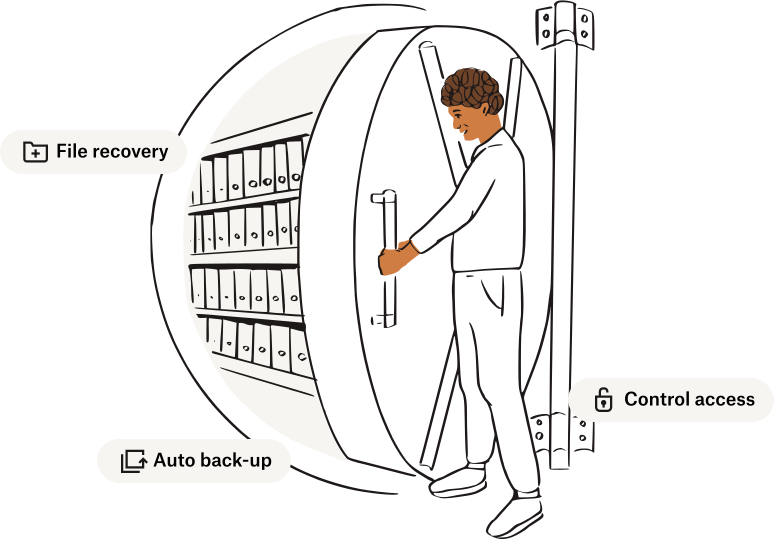
An illustration of a person opening a bank vault
Dropbox's 4.4 star rating, using G2s badge style

Dropbox is highly rated worldwide, with over 700 million registered users

Find the Dropbox plan for you

Choose your billing cycle
Best value

For personal use

Plus

$9.99 / month
  • For 1 person
  • 2 TB of storage
  • 30 days to restore deleted files
  • Transfer files up to 50 GB

For professionals

Professional

$16.58 / month
  • For 1 person
  • 3 TB of storage
  • PDF Editing
  • Password protect files

For teams

Standard

$15 / user / month
  • For 3 people or more
  • Get team folders for organization

For companies

Advanced

$24 / user / month
  • For 3 people or more

Dropbox plans offer powerful tools to simplify and organize your digital world

Share Icon

Store, sync and share your files

With terabytes of cloud storage options, you’ll have all the space you need to store your content - photos, personal files, and even passwords - in one safe place.

Sign Icon

Sign important documents

Easily prepare, edit PDFs, send and eSign your most important contracts - all in one place.

A highlighter icon

Get tasks done quickly and easily

Host live virtual review for your video, audio, PDF, or image projects with Dropbox Replay.

Shield Icon

Keep your files safe

Your files are always encrypted by default. Backup, recovery and remote wipe features will ensure your content is protected at all times, on any device.

Trusted by the biggest companies in the world

Figma Logo
Greenhouse logo
Hydro Flask Logo
Sundance Film Festival Logo
Calm Logo
Figma Logo
Greenhouse logo
Hydro Flask Logo
Sundance Film Festival Logo
Calm Logo

Back up any file—anywhere, anytime

Whether you’re trying to back up an image collection, a large video, a CAD file or entire folders you can store all your important files safely in your Dropbox account. With access to your Dropbox files from any device, operating system, or platform, you can work and collaborate on projects with ease.

No internet connection? No problem. With Dropbox, you can work on files while offline, from your desktop computer, Android, iPhone, or iPad. Once you get back online, your files and folders will automatically sync with any edits you made when you weren’t connected.

A woman looking at her mobile phone and holding a camera on a rig

See what our customers have to say

5 star badge for G2

Rahul S, Assistant Manager

"The interface on both Android and iPhone is incredibly user-friendly. It's the perfect option for submitting pictures and documents with ease."

A G2 badge showing 5 stars

Max G, Media Specialist

"I like the quick link sharing feature through gmail and other email services. I send dropbox links for photos and videos all the time after finishing a wedding or other gigs for clients."

A G2 badge showing 5 stars

Katy B, Video Producer

"I highly value Dropbox Replay. As a video production manager, this tool allows me to easily give notes to my editors and collaborate on active projects. No need for a third party tool elsewhere."

A G2 badge showing 5 stars

Connie S, Teacher

"Dropbox performs reliably, with minimal downtime and efficient file syncing. The speed of uploads and downloads is impressive, making it suitable for handling large files."

2 months free when billed annually

Start backing up your files securely for free in just a few minutes

Get extra assurance

Losing precious family photos or unintentionally deleting work files—like when your phone goes missing or your external drive stops working—can be stressful. Accidents happen, but cloud backup services from Dropbox help make recovering your lost files easier. When you move or delete a file in your Dropbox folder or on the web, we’ll confirm it’s the action you want to take. This ensures fewer opportunities for accidental data loss. You can even set up key folders like Desktop, Documents, and Downloads to back up and sync automatically. Relax knowing that all of your important files are safe in cloud storage and backed up multiple times.

A list of folders and files from a Mac that have been saved in Dropbox Backup

Recover your files

If your files are accidentally deleted, lost, or updated too early, there’s no need to worry. With file recovery and version history, you can restore your deleted files or previous versions of work without missing a beat.

Dropbox ensures all your files, including earlier versions, are backed up for up to 180 days by default.


A user selecting a .zip file to be recovered from Dropbox Backup

Frequently asked questions

File backup is a duplicate copy of your data that can be used to recover your files or even an entire hard drive after a data loss event. A cloud backup is the same as your file backup, only stored online in a network of offsite servers operated by a cloud storage provider. 

Simply put, online data backup is vital because data is irreplaceable. Whether its sensitive documents, work, or family photos and videos, it's important to count on online backup services so there's always a duplicate copy of these valuable files. Then, if an accident happens, you can easily restore your files without any data loss.


With Dropbox as your backup solution, it’s easy to save your files to the cloud instead of using an external hard drive, flash drive, or any other remote storage device. Once you’ve downloaded the Dropbox app on your computer, simply drag and drop the files you’d like to back up into the Dropbox folder on your desktop. You can also back up your computer on dropbox.com by uploading the files or folders you’d like to save to the cloud.

Computer backup applies to entire folders on your PC or Mac. When you enable computer backup, files saved in folders like Desktop, Documents, and Downloads are automatically and continuously synced to your Dropbox account so you don’t have to drag them manually.

It’s simple to back up files from your phone to the cloud using the Dropbox mobile app. Once you’ve downloaded the Dropbox mobile app to your phone or tablet, you can create or upload files you’d like to back up directly to Dropbox. Plus, any uploaded files sync with Dropbox on your computer and other connected devices.

Dropbox can automatically upload and backup your photos to the cloud by copying them from your mobile device or camera to your Dropbox folder. With the camera uploads feature enabled, any photo or video you’ve taken with your mobile device will be backed up to your Dropbox account (Dropbox Basic users must have the desktop app installed). You can also back up your existing photos to the cloud by uploading them to your Dropbox account.

Some more features

Cloud storage

Keep all your files safe with powerful online cloud storage

Explore cloud storage

File recovery

Recover or restore lost files, accidental edits, or deleted work

Explore file recovery

Doc scanner app

Take the work out of paperwork with the doc scanner app

Explore doc scanning

Computer backup

Manage Mac and PC backup—automatically

Explore computer backup