No matter our department or function, we create a huge number of files and documents in our working lives. But once we create them, our documents can easily get lost in the vast ecosystem of content across our business. So how do we make it easier to find them?
A document management system can help you streamline workflows, boost efficiency and productivity, and save your team precious time.
In this article, we’re going to explore what a document management system is and the benefits of using one—as well as some top tips for finding the right solution for you. We’ll also discuss how linking your documents to AI tools with Dropbox helps you get more value from your organized files—and makes document management smoother.
What is document management?
Document management is the process of capturing, storing, archiving, tracking, and retrieving your business’s electronic documents. This includes PDFs, word processing files, videos, and scans of paper-based files like receipts.
With a digital document management system, you can eliminate paperwork and make it easier to edit content like PDFs, share files for eSignatures, and manage other important business processes.
A document management system (or “DMS”) allows you to capture different types of documents from various sources, such as emails, online forms, and shared digital files, and store them in a secure and easily accessible location.
Why you need a digital document management system
You need a clear but comprehensive system to guarantee document security and ensure your document management is efficient.
These days, we all create an enormous amount of data in our working lives as we interact with clients, colleagues, and other stakeholders. A digital document management system helps keep our files and folders accessible but secure as we continue to create, receive, and share them as part of our workflows and projects.

What are the benefits of document management systems?
Implementing a document management system offers your business a number of significant benefits.
1. Teamwork and collaboration
When team members know the exact location of the files and folders they need to do their work, real-time collaboration becomes much easier. Say goodbye to the back-and-forth process of sharing documents for input over email and other communication tools!
It also simplifies sharing content externally with clients and other stakeholders, and adds an extra layer of security by saving the document in a secure location and limiting access to only specific people.
2. Ease of access
A digital document management system is much easier to access than an on-premises paper-based system that’s limited to a single location or site. With a digital system, especially one that’s based in the cloud, you and your team members can access documents from anywhere, and on any device.
So whether you’re working from home or checking off some tasks while you’re on the road, you can avoid losing paperwork by securely accessing files that are kept safe in cloud storage.
A centralized space for your documents also makes it much easier to find files—no more documents scattered across different folders and subfolders with inevitable access issues.
3. Better security
Built-in security features like Dropbox send and track enable you to set access permissions and monitor when, where, and how documents have been viewed, edited, and shared.
Admins can grant document access to only the people who need it, protecting sensitive information and supporting regulatory compliance requirements.
Proper record management is also becoming a legal imperative in many industries, meaning a robust document management system can help to show auditors that you’re following the relevant laws and regulations.
4. Improved efficiency and productivity
With a comprehensive document management system, you don’t have to waste time looking for files on different devices, apps, or browser tabs.
And if you enhance this with intelligent AI tools like Dropbox Dash, you can find anything you need in just a few clicks, regardless of the metadata or file format—saving you precious time and effort.
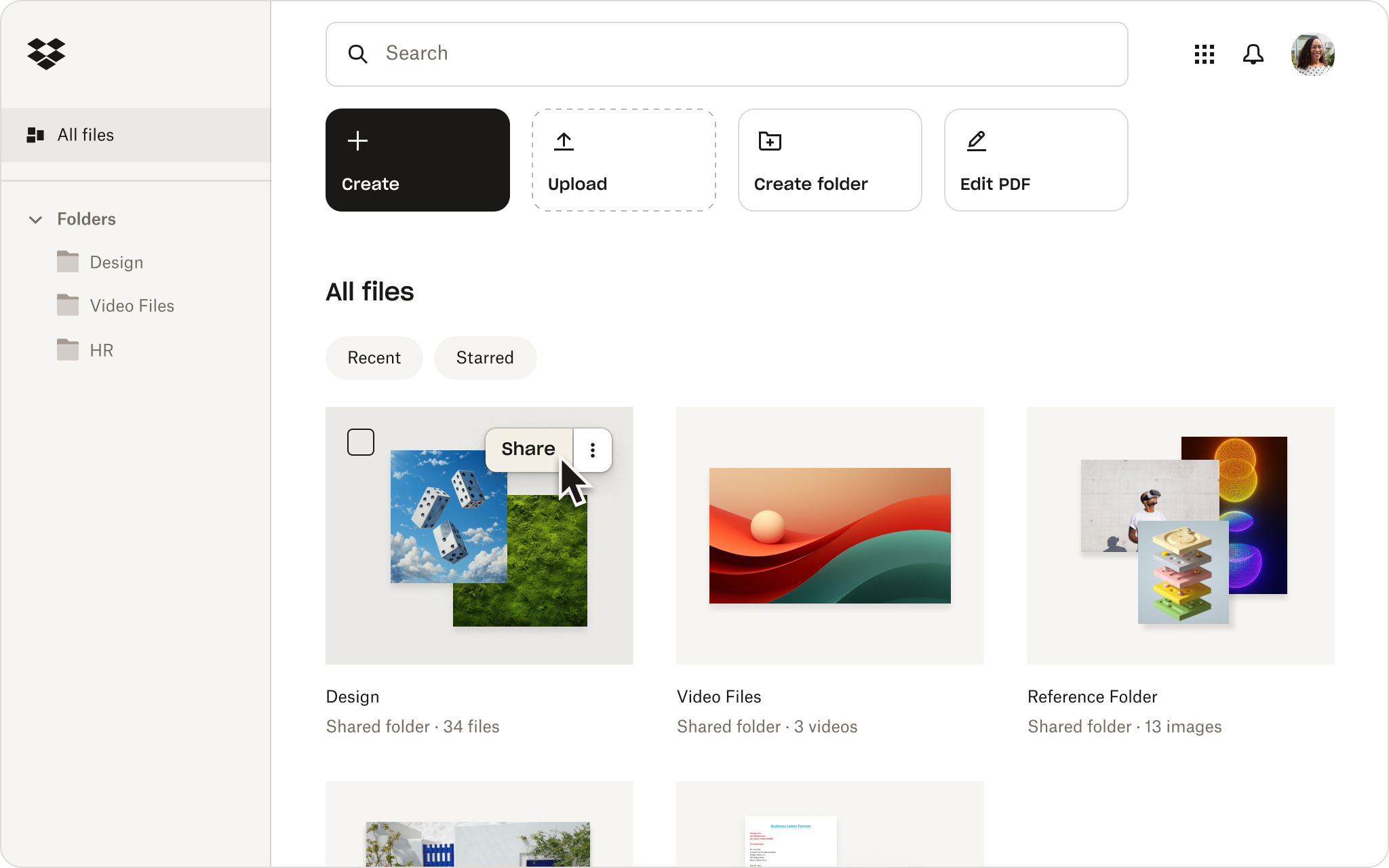
Put the knowledge in your documents to work with AI
The answer to a simple question can still be spread across several perfectly filed documents. Finding them solves one problem, but piecing together what they mean for your task is another.
Connecting Dropbox to an AI tool via supported integrations helps close that gap. The documents your team already manages can inform the task, without the need to keep gathering files, uploading copies, and explaining the background.
Imagine preparing a kickoff checklist for a new client project. Let’s say you have an onboarding guide, an approved project template, and notes on what worked last time. Here’s how a connected workflow transforms the task:
- Before—the familiar routine: You open each document, pull out the relevant steps, and assemble a checklist. Every unclear instruction sends you back through the files again—or back into another conversation with the person who wrote them.
- After—with files connected to an AI tool: You ask the assistant to build a kickoff checklist using the onboarding guide’s steps and the project template’s layout. It keeps ideas from past project notes separate from required steps, and names the sources—so reviewers know where to check.
Now you have something specific to review:
- The documented process.
- Ideas worth considering.
- Gaps that need a person’s input.
That way, you’re checking a working draft—rather than assembling every line yourself.
The checklist shouldn’t become another document that only its creator can find. With Dropbox, you can also save the reviewed result in the new project’s cloud storage folder—directly from the AI tool.
Your document management system still provides the structure. Integrations help keep access aligned with source permissions, while your team decides what’s accurate, who should see it, and what is ready to use. Remember to check the new document’s file permissions before sharing it more widely.
AI and Dropbox together give you a better way to leverage the knowledge you’ve already stored.
What to look for in a document management system
When choosing document management software for your new system, there are several key features to look for, including:
Version control and audit trail—see how the current document came to be and its differences from previous versions
Security and access control—file encryption and the ability to password-protect important documents
Workflow automation—speed up time-consuming tasks, like creating and managing folders
Collaboration—store documents in a centralized location to make it easy for your colleagues to work on files at the same time
Easy file search and retrieval—choose a tool with a streamlined user experience and that helps you find the right document when you need it
Your chosen system should also fit seamlessly into your document management workflow—so you and your team can continue to create, share, and manage your documents without issue.
A unified, centralized document management system
Dropbox is the ideal centralized point for storing, collaborating, getting feedback on, and managing your project files. With Dropbox, you can easily create, edit, and share documents with your team members, and access them from anywhere, at any time.


